Connected Excel
One .xlsx workbook with 34 worksheets, including Start Here, source registers, working records, KPI review, management reviews and settings.
The connected management system
Organize the work. Connect the records. Review what needs attention.
34-worksheet connected Excel system · 42 operational templates in PDF & editable Word · binder assets · 30-Day Quick-Start & Implementation Guide
$89 USD · digital download
Designed for medical office managers, practice managers and healthcare administrators who want a structured management routine.
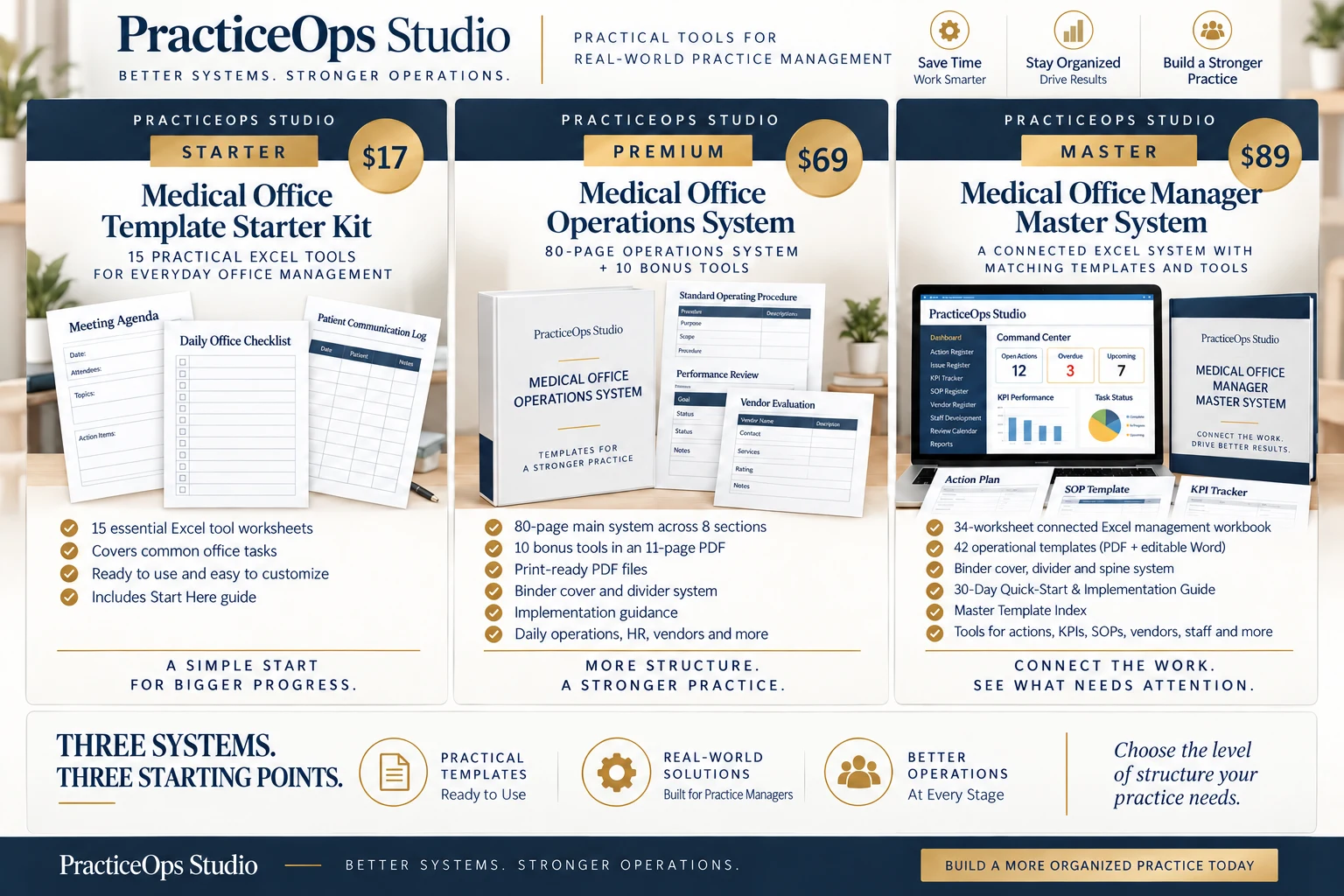
Concept artwork
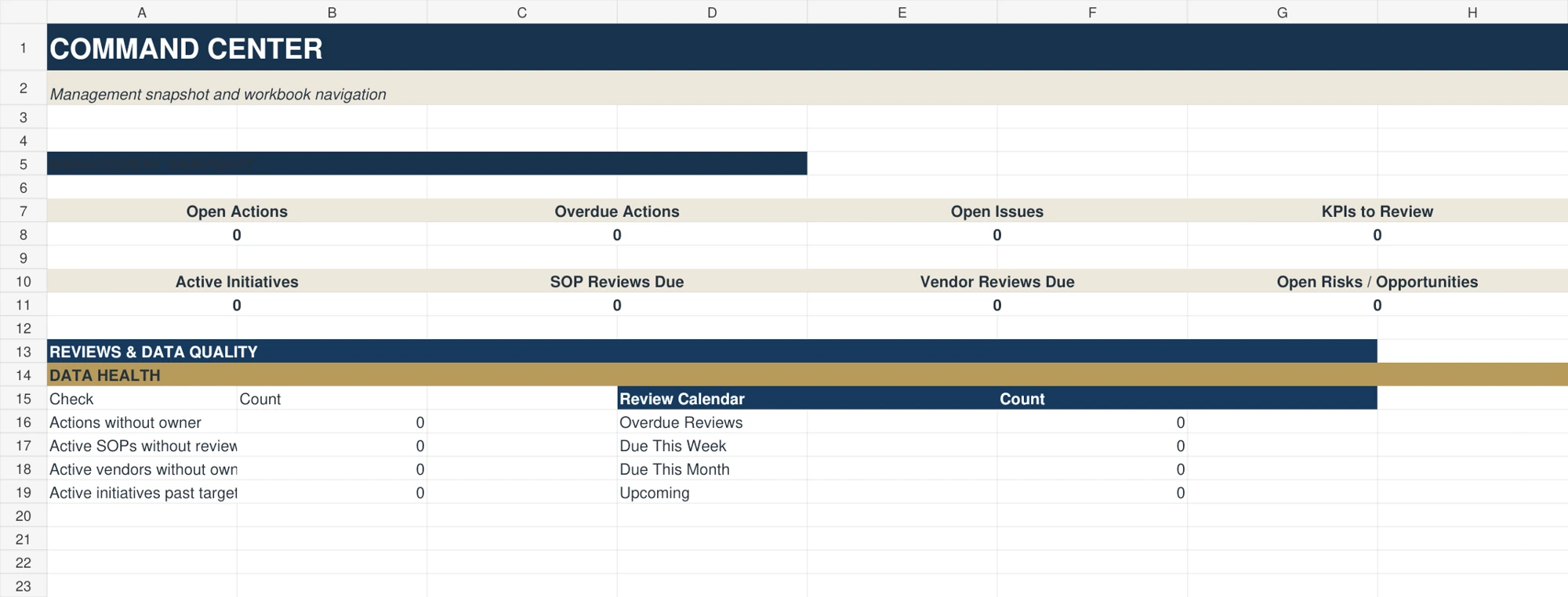
Actual Command Center
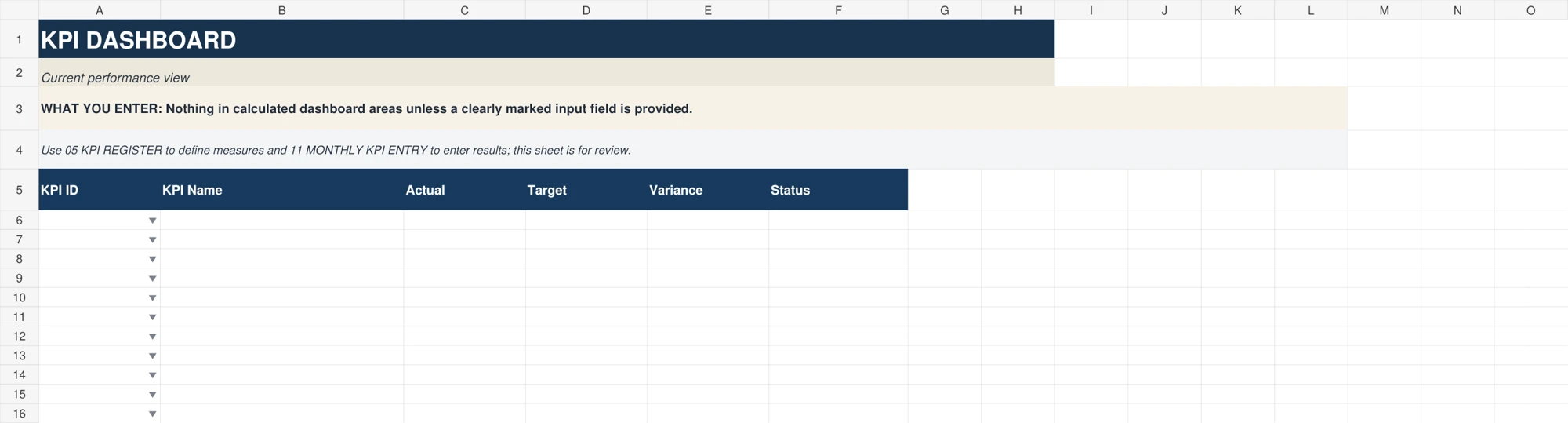
KPI Dashboard
Management value
Shared information belongs in source records. Related Excel worksheets retrieve it so your management work can refer to the same staff, vendor, KPI, SOP or initiative.
Set up operational reference records and capture actions, issues and initiatives.
Use working registers for ownership, deadlines, delegation and escalation.
Define KPIs, enter monthly results and review dashboard and trend information.
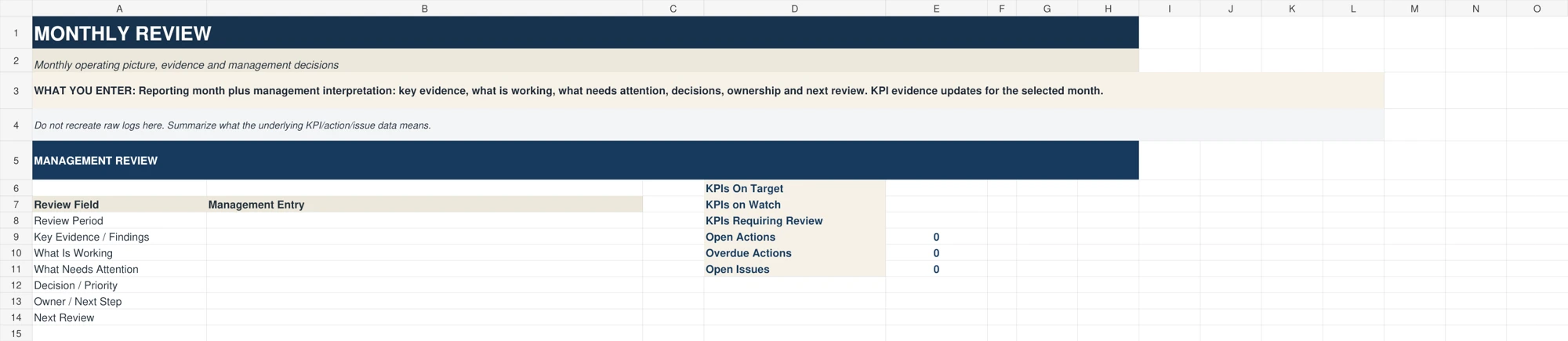
Use monthly, quarterly and annual review sheets to record management decisions and planned work.
Verified package contents
One .xlsx workbook with 34 worksheets, including Start Here, source registers, working records, KPI review, management reviews and settings.
42 core templates in print-ready PDF and editable Word formats. The two formats are versions of the same 42 templates, not 84 different tools.
Binder cover, divider and spine system; 30-Day Quick-Start & Implementation Guide; Master Template Index; Start Here guidance; Customer License & Use Guide.
Use Excel for living records, PDFs for printable working copies and Word when a template needs local customization. Paper and document entries do not calculate or sync with the workbook.
Product proof
Preview the Command Center, KPI Dashboard and Monthly Review from the actual blank customer workbook. Open any image for a larger view.
The connected Excel system
Practice setup, staff and roles, vendor records, KPI definitions, SOPs and initiatives provide the references used by related worksheets. The workbook includes action and issue registers, delegation, escalation, capability, development, vendor and SOP review, implementation planning and a review calendar.
Excel surfaces workflow signals and review information. The appropriate manager or organization makes the decisions.
The operational template library
The 42-template library covers ten operational areas. Choose the formats and pages you need rather than duplicating every record across Excel, paper and Word.
A good fit when
You work in medical-practice operations, are comfortable setting up Excel reference records, and want to connect ongoing actions, operational reviews and KPI information with practical working templates.
Consider a different starting point when
If you need a few everyday trackers, the Starter Kit may be enough. If you prefer paper, consider the Premium System.
The Master System is not an EHR, patient-record system, live multi-user app, automated practice integration or professional compliance service.
Compare the three systemsBefore you purchase
One ZIP package with 98 files: a 34-worksheet connected Excel workbook, 42 core operational templates supplied as 42 print-ready PDFs and 42 matching editable Word files, binder cover/divider/spine assets, the 30-Day Quick-Start & Implementation Guide, Master Template Index, Start Here guidance and Customer License & Use Guide. These are digital files; no physical binder is shipped.
The workbook is an .xlsx file for Microsoft Excel. Word templates are .docx files and PDFs require a PDF reader. Review the storefront’s software and compatibility details before purchasing. Compatibility with other spreadsheet applications has not been verified for this release.
No. This is a digital-download product. The future interactive PracticeOps experience is a separate project and is not included.
No. The Excel sheets have internal connections. PDF and Word files are separate working formats. Transfer information deliberately and keep one authoritative record for the task.
No. Use the system for general operational management, without patient names, dates of birth, medical record numbers, diagnoses, insurance identifiers or other patient-identifying information.
No. These are general operational resources. They do not provide legal, HR, regulatory, billing, clinical or privacy/security advice and do not make a practice compliant with any law or regulation.
Review the customer-use guide and storefront license. The package describes internal use within one practice or organization location and prohibits resale or public redistribution. Confirm broader use with PracticeOps before purchase.
Purchase through the linked Etsy or Gumroad listing. For an existing order, use the support or messaging path on the storefront where you purchased. The Contact page links to those channels.
Same Workload. A Better System.