Practice Operations
A Better Way to Run the Practice: What We’re Building Together
We’re taking you behind the scenes as we connect practical resources, clearer workflows and a bigger vision for practice management—one useful step at a time.

You know the work between the tasks
You’re helping a new employee get settled. Their training checklist is open, someone is checking on system access, and the phone rings before you can finish explaining where the current procedure lives. A little later, you’re trying to remember which part was actually finished.
If you’ve worked in a medical office, that kind of juggling may feel familiar. A lot of effort goes into keeping the pieces connected: finding the right information, checking who owns the next step and making sure an important follow-up doesn’t disappear into a busy afternoon.
That work is the starting point for the next chapter of PracticeOps Studio. We want to bring you along as we develop tools and systems that make the work easier to follow—for the manager, the person learning it and the coworker stepping in to help.
The bigger goal, with a practical place to begin
Our long-term vision is a connected practice-management system that brings together administrative work, staff support, communications and patient-care workflows. That could eventually include an electronic health record, or EHR, alongside phones, messaging, faxing, HR records and the policies and procedures that guide the team.
Getting there means understanding how those pieces should work together. A call may lead to a task, a task may need an approval, and an approval may depend on information in another system. The useful part is being able to follow that work through.
We’re beginning with resources and workflows for small independent general medical practices, roughly one to five providers at one location. Dental and other practice models remain part of the longer-term direction. Each will need its own careful work.
The connected platform is a development goal. Right now, we’re working on the foundation: the forms, trackers, checklists, policies, SOPs and decisions that could support it.
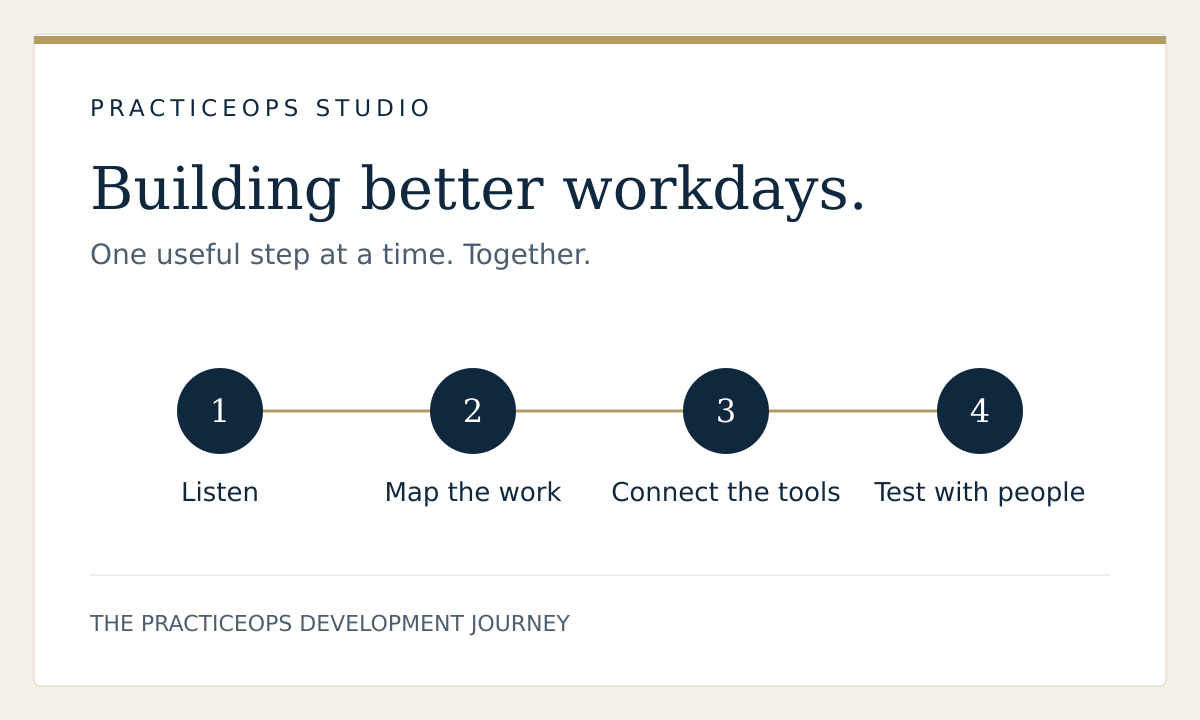
First, listen to what makes the day harder
Experience in practice operations gives us plenty of questions to ask. We also want to hear what matters to people in other offices, with different teams, systems and ways of working.
We’ve started reviewing published research and practice surveys about communication handoffs, documentation, scheduling, training and disconnected systems. We’re recording the problems, who they affect and what the evidence actually supports.
That gives us a starting point for customer conversations and outside testing, which are still ahead. We want to understand a recent, specific example: where the work got stuck, what someone did to move it along and what a better result would look like.
A request for a better report, for instance, becomes much more useful when we understand the decision the manager needs to make with it.
Then, map the practice and take stock
We’ve drafted a coverage map across 15 operational areas, including leadership, staffing, training, patient access, communications, financial operations, facilities and reporting. We’re also looking across the practice’s life—from preparing to open through daily operations, growth and transition.
The map helps us give each resource a purpose. Who uses it? When do they need it? What should happen after they complete it? Which other instructions or records need to agree with it?
We’re reviewing our existing materials against that map. Some content can be kept, some needs revision, and some overlaps with another tool. We’re identifying gaps as we go.
One simple rule is guiding this part: each tool should have one maintained master version. That makes it easier to keep related collections consistent as they grow.
Our first close look: employee onboarding
Onboarding gave us a concrete place to try the process. Our existing toolkit already contains ten tools covering preparation, first-week training, progress reviews, access, feedback and closeout. We started by reading those materials alongside the handbook and onboarding instructions.
The audit showed places where goals, check-in notes and follow-up actions appeared more than once. It also raised a useful question: does finishing a training session tell us whether someone can perform the task independently?
We’ve now drafted a connected workflow and a manager’s roadmap from pre-start preparation through Day 90 and handoff. Each stage identifies an owner, a record to use, evidence of completion and a way to keep unfinished work visible. We’ve also drafted matching policy and SOP revisions.
For example, if an employee’s system access is delayed, the roadmap gives the issue an owner and a next action. If training is complete but more guided practice is needed, those two facts can be recorded separately.
These are working drafts. The next work includes building the consolidated employee workbook, checking it with fictional examples and having other people try the process.
A small idea you can use in your own office
You can try the same thinking with one recurring task. Pick something that produces repeated questions and walk through it with a coworker. Ask:
- What starts the task, and where does the person begin?
- Who owns it, and who receives the next handoff?
- What shows that this part is complete?
- What happens if information, access or approval is missing?
What you’ll see as we build
We’ll share useful lessons, early drafts, demonstrations and the changes that come from testing. Some updates may be as small as removing a repeated field or making an instruction easier to follow. Those details matter when someone is trying to get through a real workday.
We’ll also explore what would make a future system worth adopting, including the support a practice would need to move its information and workflows. Any claims about easier implementation or lower combined costs will need to be demonstrated.
The next milestone is a connected onboarding collection that we can walk through, revise and test with representative users. What we learn there will help shape the next collection.
If you run a practice, work at the front desk, support a clinical team or manage the people behind the scenes, we’d love your perspective. What everyday task takes more steps than it should?
You’re welcome to follow along as the work develops. We’re glad to have you here.
This article offers general operational organization ideas. Apply your organization’s approved policies, roles and systems. Do not use these tools to store patient-identifying information.
Explore free manager resources