KPIs & Performance
Before you build a KPI dashboard, define the measure
Give each measure a definition, source, owner and review decision before adding it to a dashboard.

Start with the decision
A KPI dashboard is most useful when each measure has a purpose. Before adding a number, identify the management question it helps you answer. What would you do differently if the result changed? Who has the authority to make that decision?
For example, a practice manager may want to understand whether routine administrative follow-up is being completed within the practice’s agreed timeframe. The measure should reflect that question. It should not become a broad claim about clinical quality, financial performance or compliance.
Start with a few measures that your team can define and maintain. A dashboard filled with numbers is not automatically more useful than a focused review. Leave out measures that have no reliable source or no practical decision attached to them.
Write a definition that someone else can reproduce
Record what is counted, what is excluded, the reporting period and the calculation. If you use a percentage, define both the numerator and denominator. If you use an average, state which records are included and how unusual cases are handled.
Suppose you review the percentage of assigned administrative follow-ups completed by their due dates. Specify whether the period is based on when work was assigned, when it was due or when it was completed. Decide how canceled tasks and tasks without due dates are treated. These choices materially change what the result means.
Write the definition before comparing months. If the definition changes, document the change and consider whether the earlier results remain comparable. Do not treat two differently defined measures as the same trend merely because their labels match.
Name the source and owner
A useful KPI record identifies where the result comes from and who maintains it. The owner should know how to retrieve or calculate the value and how to resolve a discrepancy. Record the source location at a level appropriate for the practice’s approved systems.
Keep patient-level details and sensitive records out of a general operations dashboard. Use an approved aggregate result when appropriate, and follow the organization’s rules for access and storage. The template itself does not authorize collecting or sharing information.
Add a data-quality note when the result is incomplete or uncertain. A missing result should remain visibly missing. Entering zero to make the dashboard look finished changes the meaning and may lead to an incorrect review decision.
Define the direction and target carefully
Different measures need different interpretations. Some are reviewed against a minimum, others against a maximum, and some against a target range. State the direction explicitly instead of assuming every increase is good.
Targets should come from the practice’s approved goals or an appropriately supported standard. Do not choose a target simply to make the dashboard show a favorable status. Record the target’s owner, effective date and any limitation that affects interpretation.
A status indicator can point to a result that deserves review. It cannot tell you why the result changed. Look at workload, timing, definitions and other relevant context before choosing a response. Keep the management explanation separate from the calculated value.
Turn the review into an owned next step
At the review, describe the observation first: what the result was, how it compares with the relevant target or prior period and whether the data are reliable enough to interpret. Then record the question or action it raises.
If a result falls outside the expected range, assign someone to investigate a specific operational question. Avoid writing “improve KPI” as the entire action. A more useful next step might be to check whether delayed tasks are waiting on the same handoff and bring the findings to the next review.
Choose a review date and record the decision when it happens. Preserve a dated snapshot when definitions, targets or current statuses may change later. That record helps distinguish what was known at the time from what the workbook shows today.
Use a simple KPI register before adding complexity
A starting register can contain the measure name, management question, definition, reporting period, source, owner, target or range, direction and review schedule. Those fields give a dashboard its meaning.
Test one measure by asking another authorized team member to reproduce it from the definition. If their result differs, resolve the definition or source issue before building more charts.
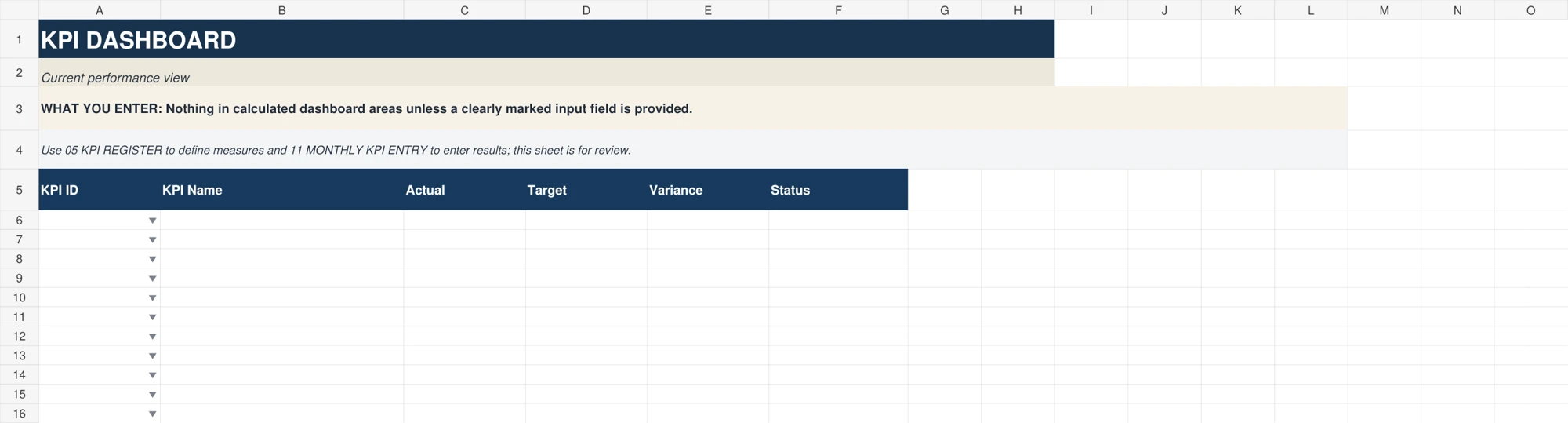
The Master System includes a KPI Register, Monthly KPI Entry, KPI Dashboard, Trend Analysis and management review sheets. These can provide a structure for the work, but the practice supplies the definitions, results and decisions. Begin with a measure your team understands and build from there.
This article offers general operational organization ideas. Apply your organization’s approved policies, roles and systems. Do not use these tools to store patient-identifying information.
Explore free manager resources