Staff & Training
A first-week onboarding plan that shows what still needs practice
Separate access, demonstration and supported practice so a checked box tells you something useful.

“Covered” and “ready” are different milestones
A new team member may have seen a process once without being ready to handle its exceptions. If the onboarding list only says “phones: complete,” the next trainer has little information about what that person can do or where they need support.
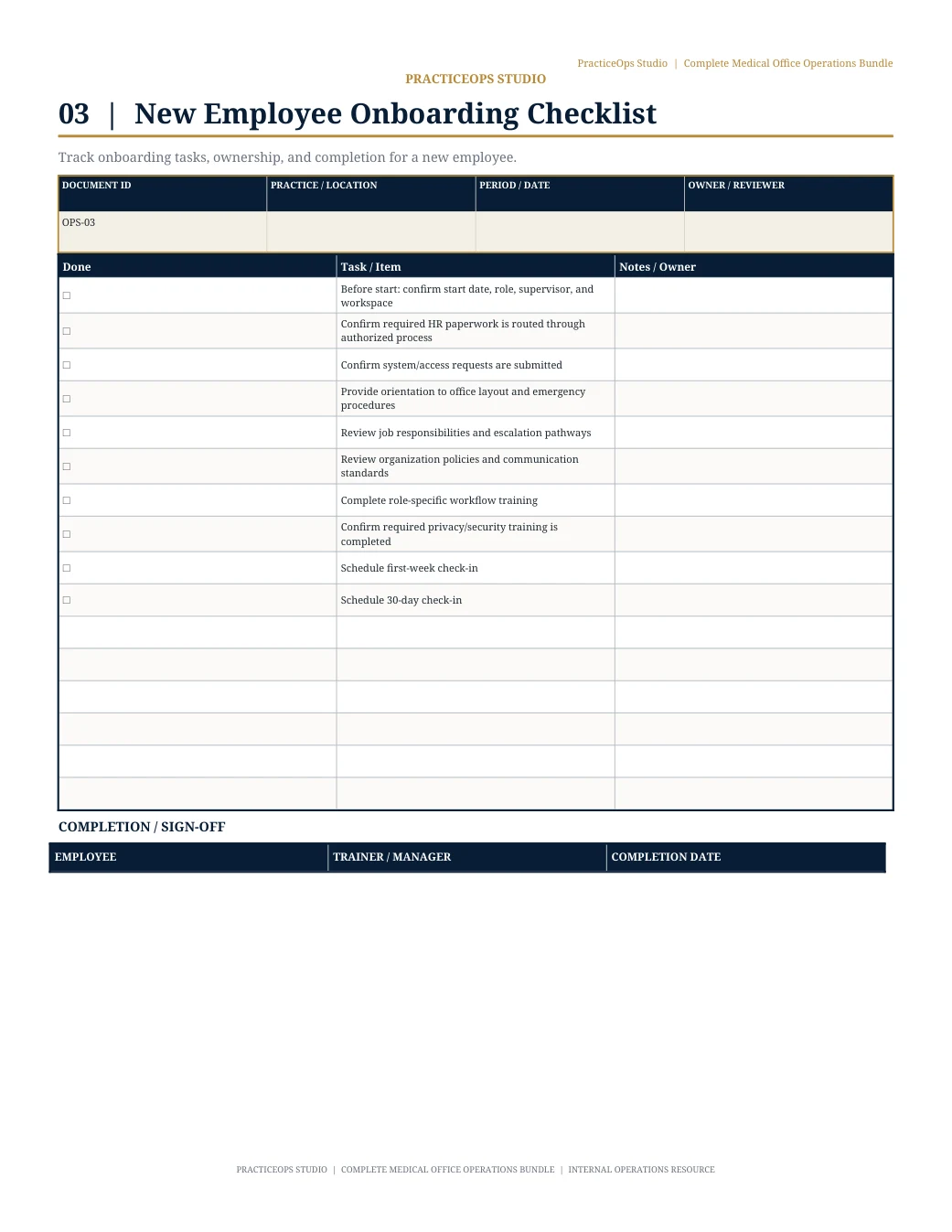
Build the first week around a few recurring tasks and the practice’s required training. Record what has been demonstrated, what the employee has practiced and what still needs review. The plan supports your organization’s training process; it does not replace required approvals.
Set up the conditions for learning
Before assigning a task, confirm the person has the approved access, the current instructions and a named trainer. Record the role responsible for resolving any setup problem. Never put passwords or credentials in the onboarding tracker.
Use task names the new employee can recognize. “Route a routine administrative question to the correct role” gives a clearer starting point than “communication skills.” Keep the first set small enough to practice during the actual workday.
Give each task a visible learning status
For each task, use plain-language statuses that describe what has happened. Your practice can adapt them to its own requirements. Avoid one checkbox that combines attendance, practice and approval.
- Not started: training is still to be arranged.
- Demonstrated: the trainer has shown the current process.
- Practicing with support: the employee is carrying it out with help.
- Reviewed: the designated reviewer has checked the required steps.
- Follow-up needed: record the specific step to revisit.
Check the handoff and the exception
Ask the employee to explain when the task starts, where the current instructions live, who receives the next step and what confirms completion. Then discuss one routine exception: incomplete information, an unavailable owner or a request outside their authority.
For example, after demonstrating supply requests, ask where an unapproved item should go and who monitors the request while it waits. If the answer requires a verbal workaround, update the instructions or clarify the local rule.
Use approved practice examples and the appropriate level of supervision. Make it clear when the employee should stop and ask for help. Confidence alone is not evidence that a required step was completed.
End the week with a small, specific next plan
Review the task statuses with the employee and trainer. Choose what needs more practice, name the person who will support it and schedule the next check-in. Keep performance discussions and sensitive employee information in the organization’s approved records.
A useful entry is: “Next week: practice the supply approval handoff with the designated trainer; review again on Wednesday.” It tells the next person what to do without reconstructing the entire first week.
Try this on three tasks before expanding the plan. Ask the employee which instruction was hardest to follow. That answer can improve the next onboarding experience as well as this one.
This article offers general operational organization ideas. Apply your organization’s approved policies, roles and systems. Do not use these tools to store patient-identifying information.
Explore free manager resources